
00

Audio routing for macOS 15+ · Apple Silicon

Every app on its own track.

Record, send and clean up music, game, Discord and your microphone — each on its own track.

14 filters, one knob 8 tracks for OBS Native Stream Deck integration 100 % local

One-time payment, no subscription. The trial needs no payment method, just an email.

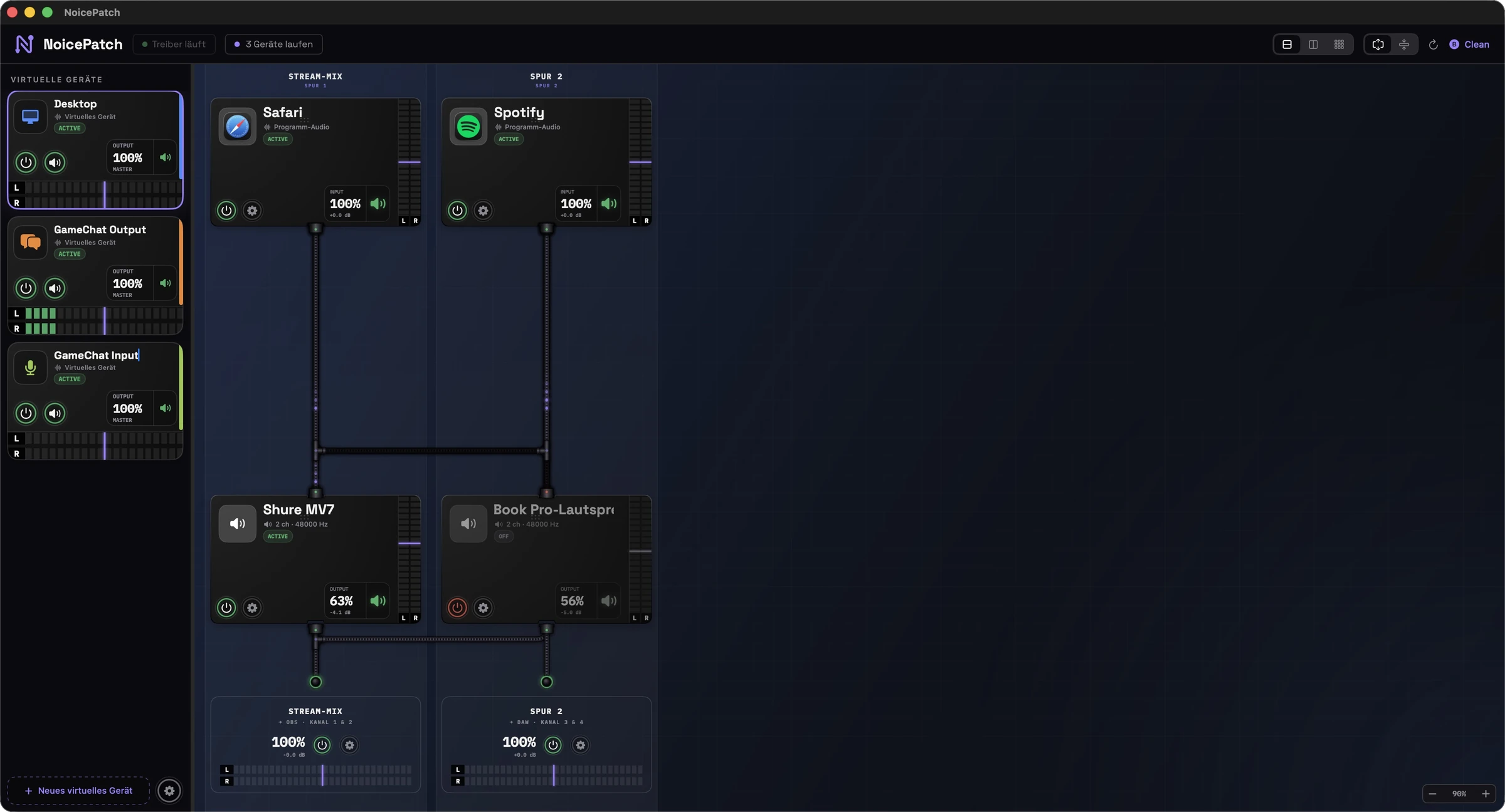
NoicePatch main window: sources, filters and outputs as cards connected by cables

Sources, filters and outputs as cards, connected with cables. What you see is what you hear.

Running 48 kHz · 16 channels · 100 % local

01 — Routing

Drag. Patch. Done.

Your Mac as a patchbay: apps, microphones and outputs are cards, connected with cables you patch yourself. One signal flow, three views — vertical cables, horizontal cables, or a matrix crossbar.

NoicePatch routing view

Cables = truth

Every cable is a decision.

The microphone runs through “clean voice” — and from there into the stream and onto your headphones.

Music passes the EQ and automatically ducks while you speak — ducking per source.

The game stays loud and unfiltered on your headphones, but goes to OBS as its own track.

Dock your sources

Spotify, Safari tabs, microphones, full system audio — every source becomes a card. Direct sound is muted cleanly: no echo, no doubling.

Insert filters

A filter splices itself into the cable — and when removed, the connection stays. Live, with no dropout in the signal.

Output everywhere

Speakers, headphones, OBS tracks, AirPlay, multi-output groups — simultaneously, with its own level per destination and a monitor path per track.

02 — Filter

Fourteen filters. One knob.

Every filter has a clear name, exactly one main knob — and real studio tools underneath. Want more? Every installed Audio Unit plugin runs in the chain too.

01 / 14
Compressor

Leveler

Evens out quiet and loud passages — for a dense, consistent voice.

Distance changes, guests differ in volume, you turn away for a second — the compressor keeps the voice in its lane before anyone notices.

All fourteen at a glance.

Compressor

Leveler

Evens out quiet and loud passages — for a dense, consistent voice.

Limiter

Protection

A safety net — catches peaks before they clip.

Voice EQ (10-band)

Tone

Cleans up the low end and lifts presence. One knob = intensity.

Bass shelf

Warmth

Boosts the foundation of your voice — fuller, warmer.

Reverb

Reverb

A touch of room — keep it subtle, or it sounds like a bathroom.

Delay

Delay

Delays the chain — compensates e.g. video latency (lip sync).

Hum notch

Hum removal

Filters out mains hum (50 Hz + harmonics). Knob = how strongly.

AI voice isolation

Voice Isolation

Separates your voice from the surroundings — right on your Mac, no cloud.

Pitch shifter

Pitch

Shifts the pitch — center = neutral, up to ±2 octaves.

De-esser

De-esser

Against harsh S and sibilant sounds. Knob = how strongly.

Noise gate

Noise gate

Silences the pauses between sentences. Knob = threshold.

Loudness maximizer

Loudness

Makes the voice loud and dense — broadcast sound at a stroke.

Broadband denoiser

Denoise

Removes noise floor from any signal — music and records too.

Parametric EQ

Equalizer

Full EQ with curve and live spectrum — drag bands freely.

03 — Equalizer

See what you hear.

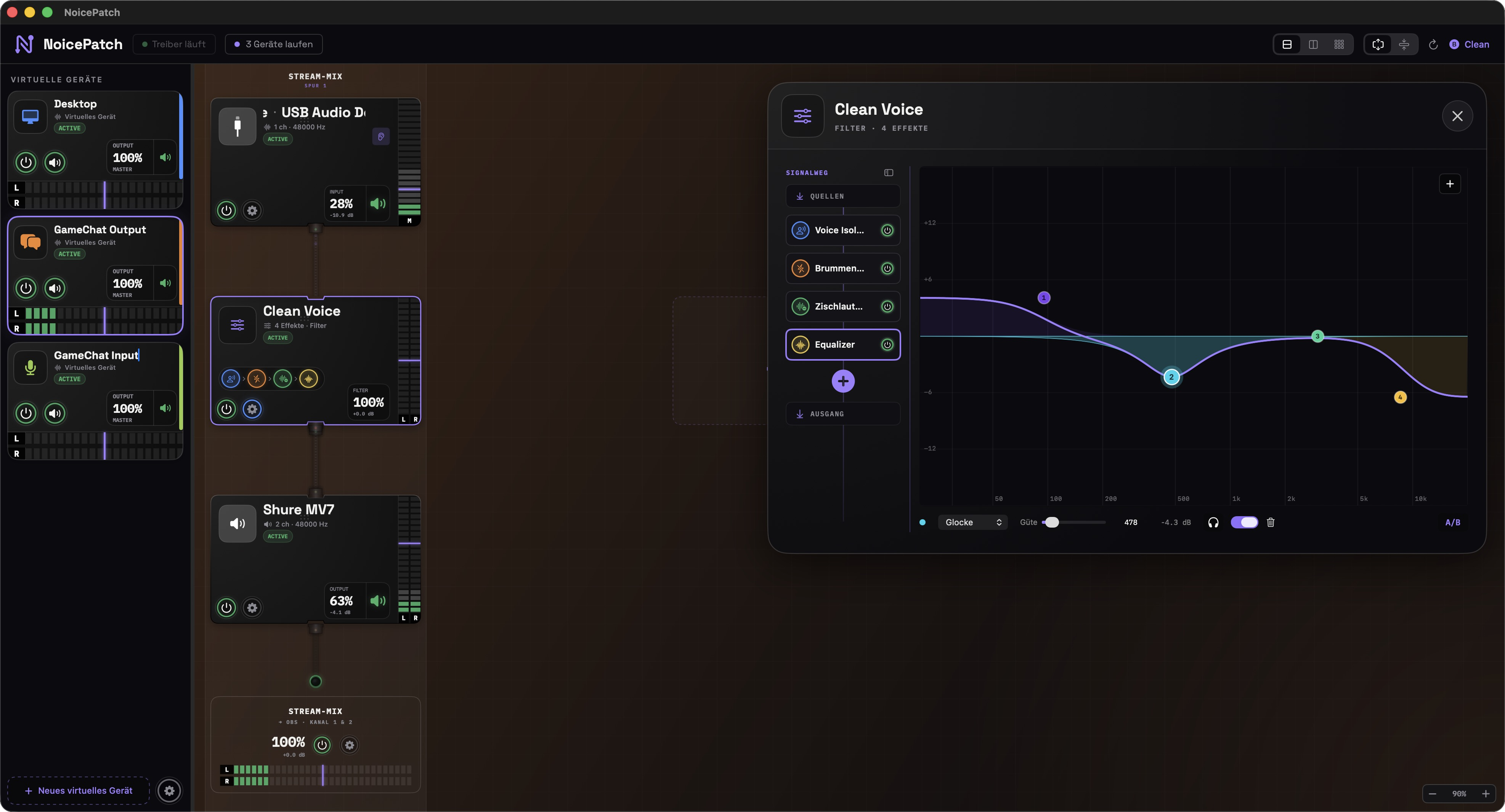
The built-in parametric EQ: drag bands freely across the live spectrum, each band with its own colour, solo it on headphones and check with A/B. The curve is exactly what the engine computes.

NoicePatch equalizer with live curve and coloured bands

04 — For streamers & squads

Bad mics aren't your problem.

Until they end up in your headphones. NoicePatch cleans up other people's voices too: Discord, game and PS5 chat run through the same filters as your own microphone.

01

Your squad finally sounds clean

Filter noise, hum and room echo out of incoming voices — Voice Isolation and denoising work on any source, not just your own mic.

02

Game down when someone talks

Your own ducking per source: as soon as someone speaks in voice chat, game audio and music dip smoothly — and come back when it's quiet.

03

OBS gets separate tracks

Mic, game, music and chat as their own channels on the virtual device — up to 8 stereo tracks, cleanly separated in recording and stream.

04

Cough button everywhere

⌥⌘M mutes all microphones system-wide — as a global hotkey, in the menu bar and on the Stream Deck.

05

Console chat included

Running PS5 or Xbox chat through your Mac? It passes through denoising and the gate too — and lands cleanly in your stream while you monitor it.

06

Everything stays on your Mac

No cloud, no subscription, no forced account: all processing runs locally in real time — even offline at LAN parties.

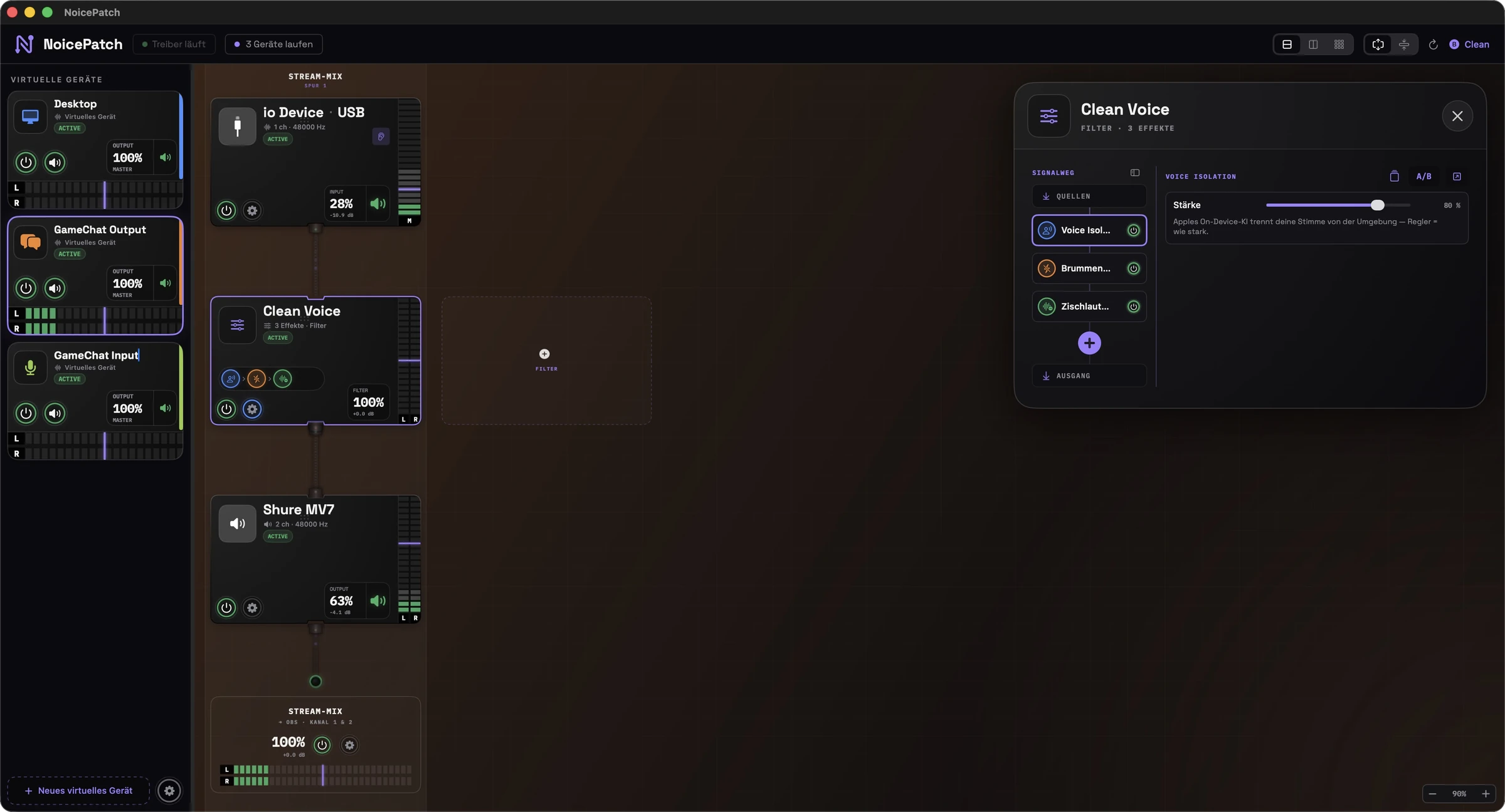
NoicePatch: the “Clean Voice” filter with voice isolation, hum removal and de-essing

A real chain from the app: “Clean Voice” — Voice Isolation + hum removal + de-essing, live in the signal path.

Scenarios

One graph. Every situation.

01

Podcast recording

Two mics on arms, a guest via Zoom — every voice on its own track, with gate and compressor already in the recording. The multitrack lands in your DAW while everyone monitors latency-free.

Mic → clean voice → DAW track 1 · Zoom → denoise → track 2
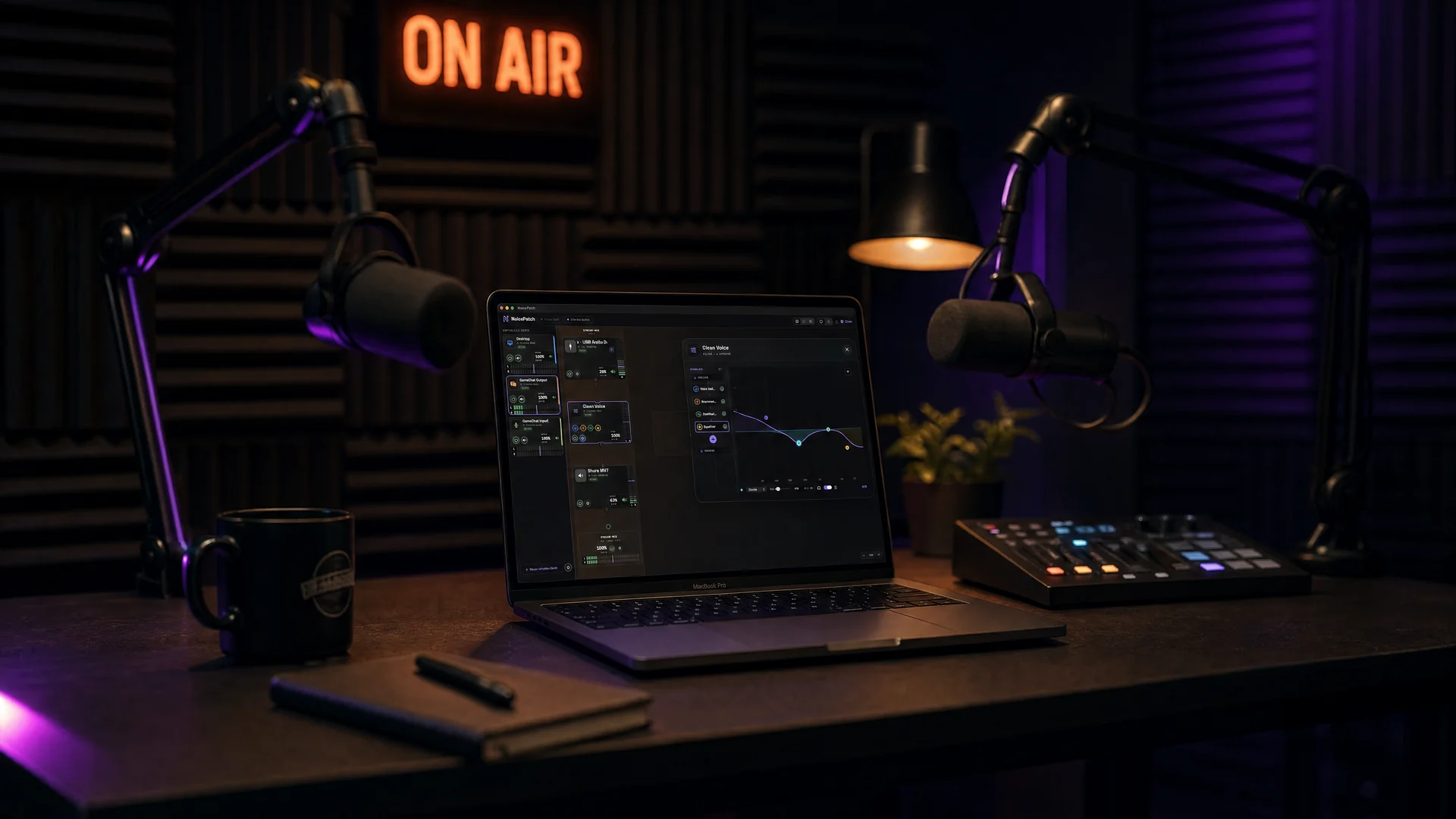
Podcast studio with two microphones — NoicePatch running on the MacBook
02

Streaming with OBS

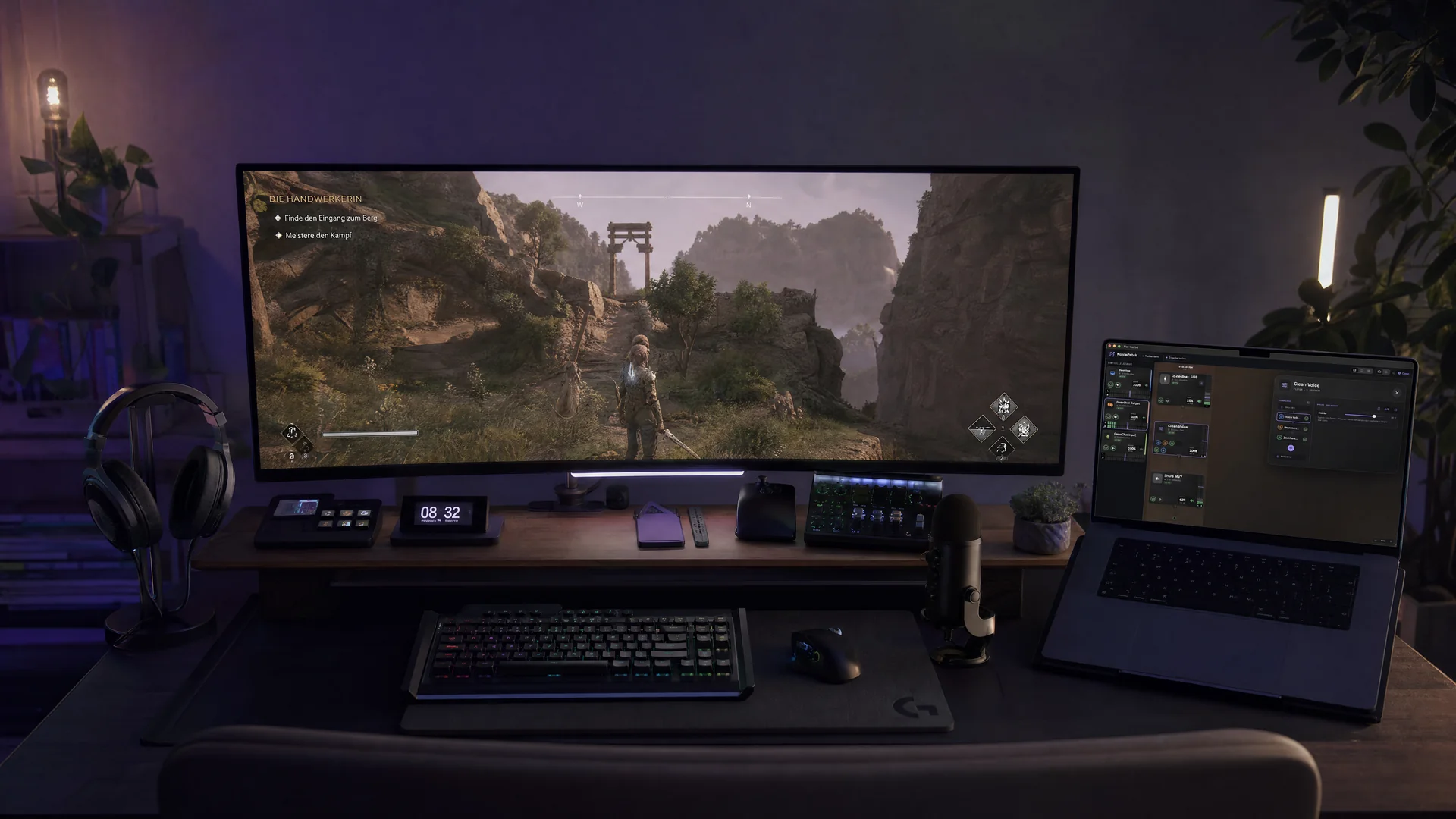
Mic, game, music and Discord as separate OBS tracks — viewers hear the music quieter than you, the squad gets denoised, and the cough button lives on your Stream Deck.

4 sources → filters → stream mix (OBS) + headphone mix — independent levels

Streaming setup with ultrawide monitor, Stream Deck and NoicePatch
03

Live recording

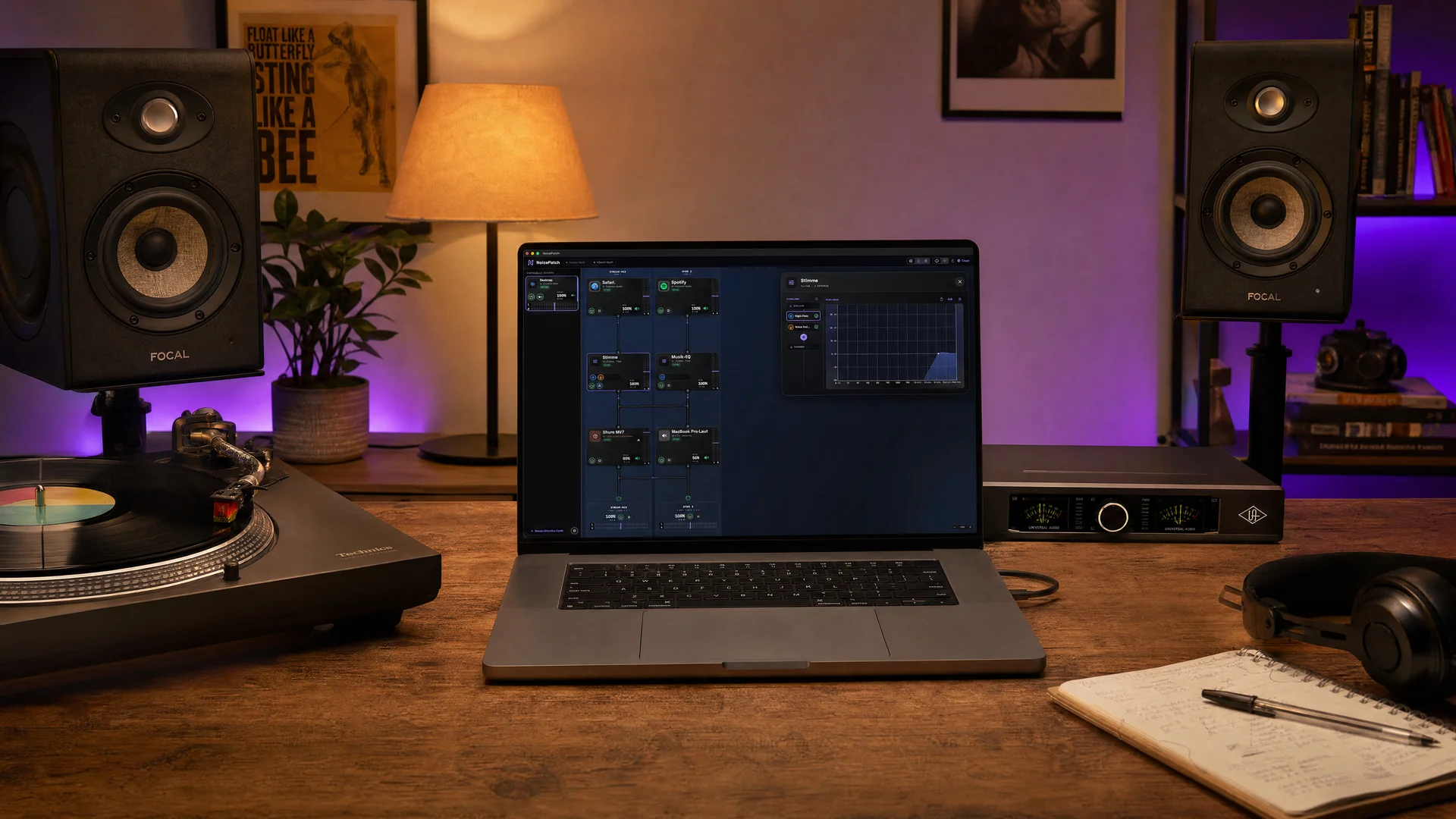
Webinar, band rehearsal or vinyl digitizing: every source cleanly leveled to studio monitors AND as a multitrack recording — with denoising for old records and a safety limiter.

Inputs → denoise + limiter → studio monitors + recorder

Studio with turntable and monitors — NoicePatch with the equalizer open
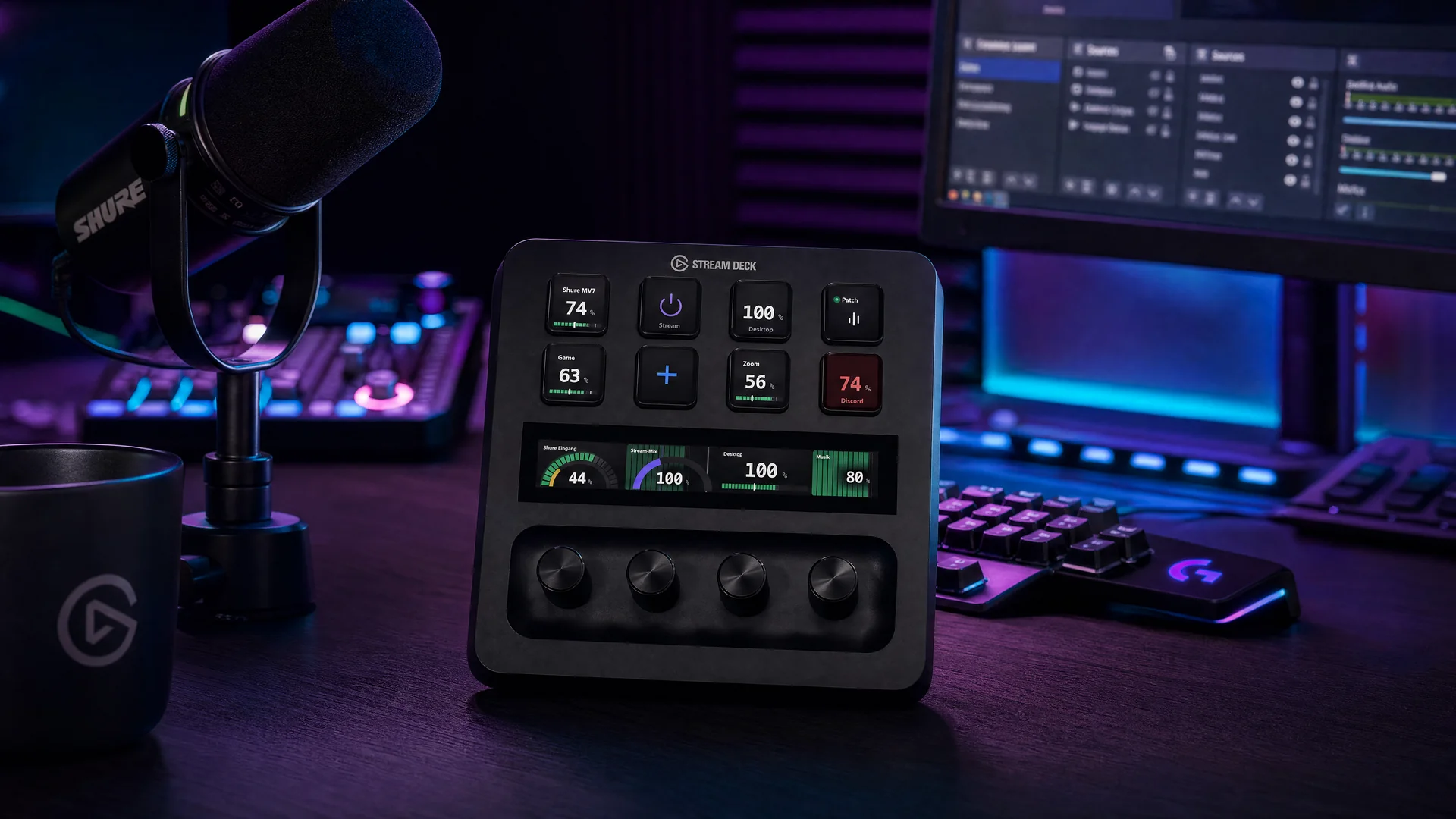
Stream Deck + with NoicePatch dials and fader strips in the studio

05 — Stream Deck

Controls under your fingers.

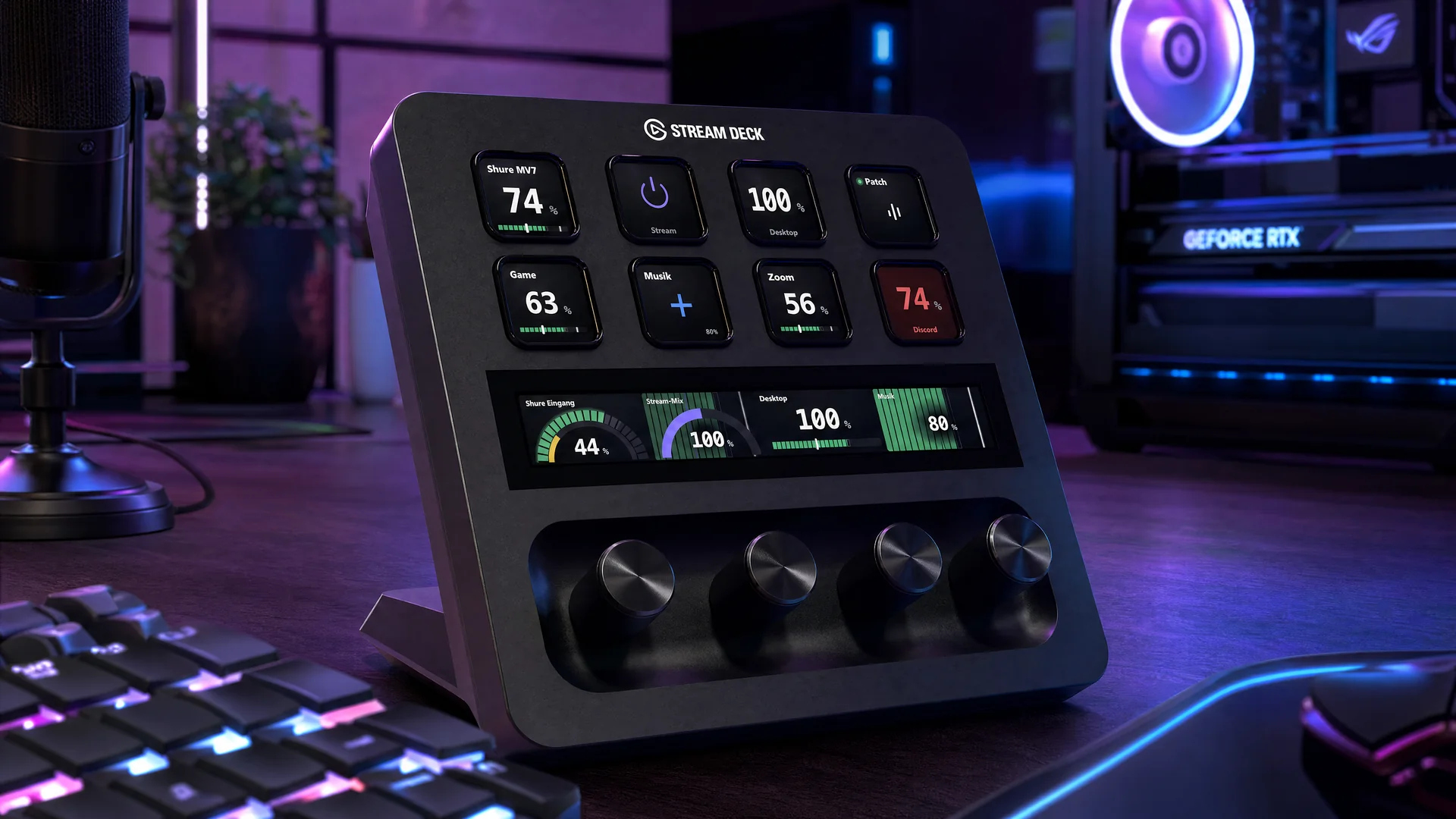
The NoicePatch plugin brings live meters, levels, mutes and fader strips to your Elgato Stream Deck — with its own canvas that builds every tile from blocks. Everything below is rendered live by the real plugin engine. Nothing is a mockup.

Real levels, live.

Every key renders its own meter: LED or smooth, with a ghost level before the filter and a peak marker — straight from the engine.

Strips across keys.

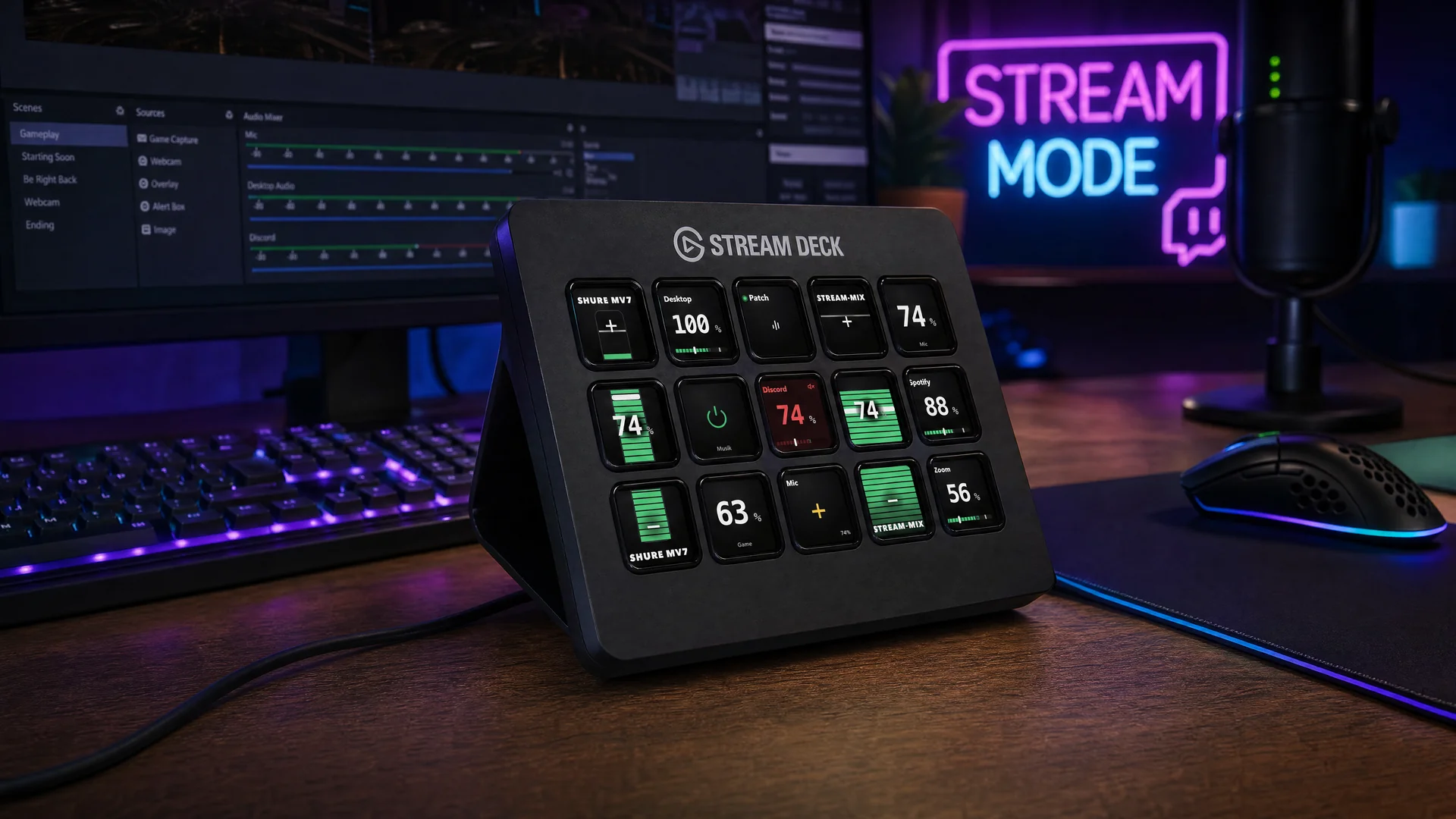
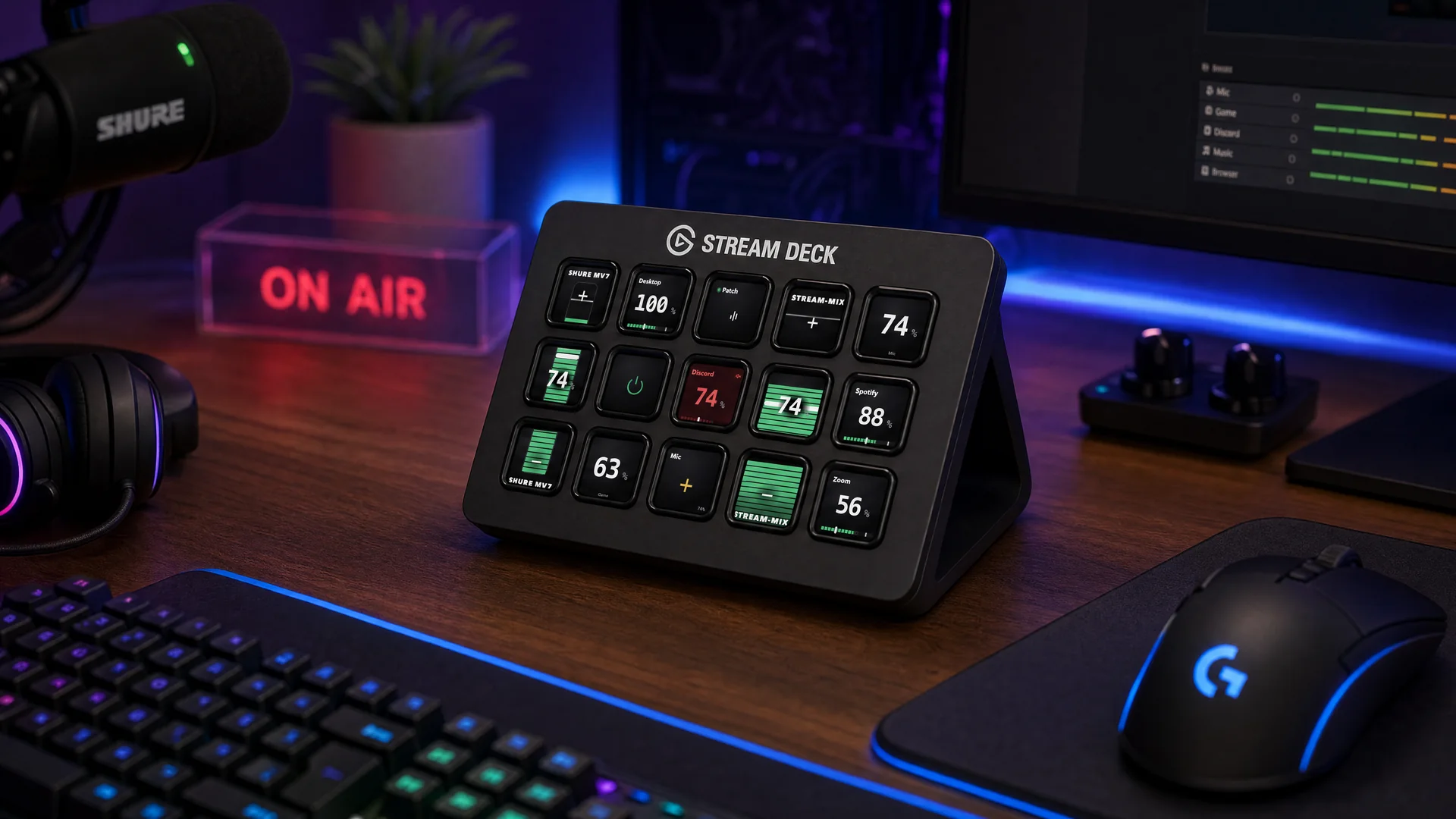
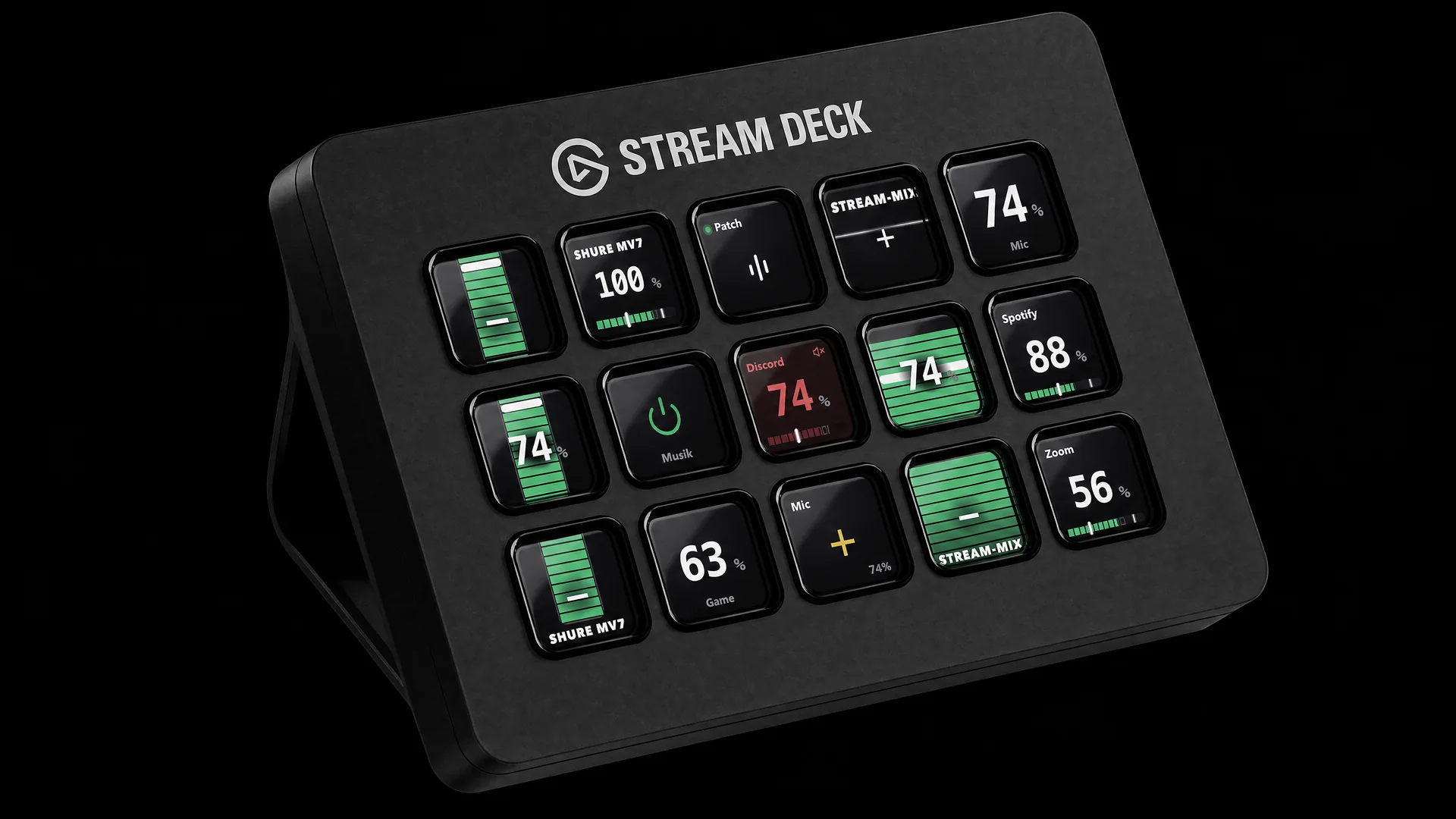
Two or three keys become ONE fader: up is louder, down is quieter. Level, target and peak run across the whole strip — vertical or horizontal.

Dials that mix.

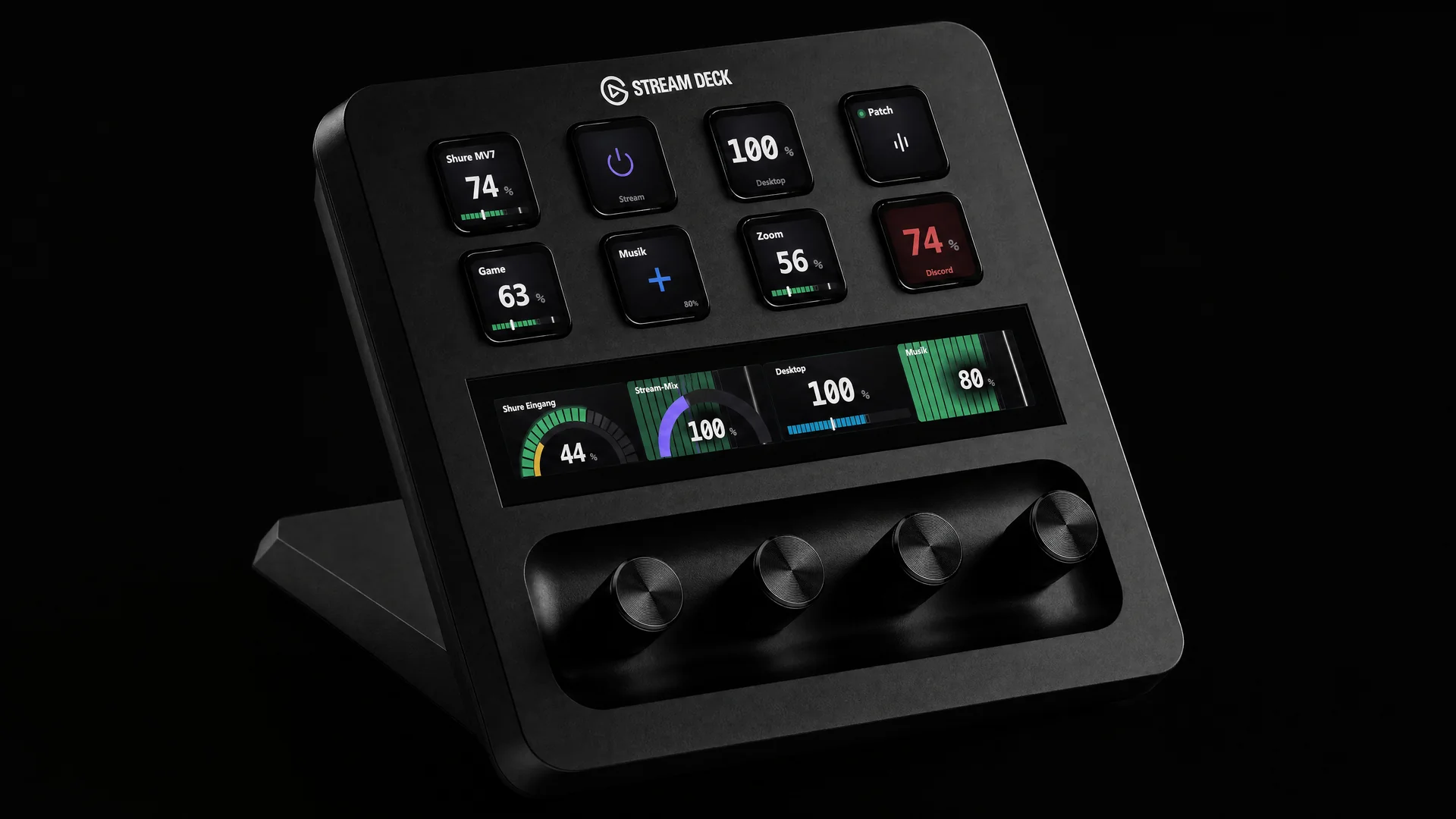
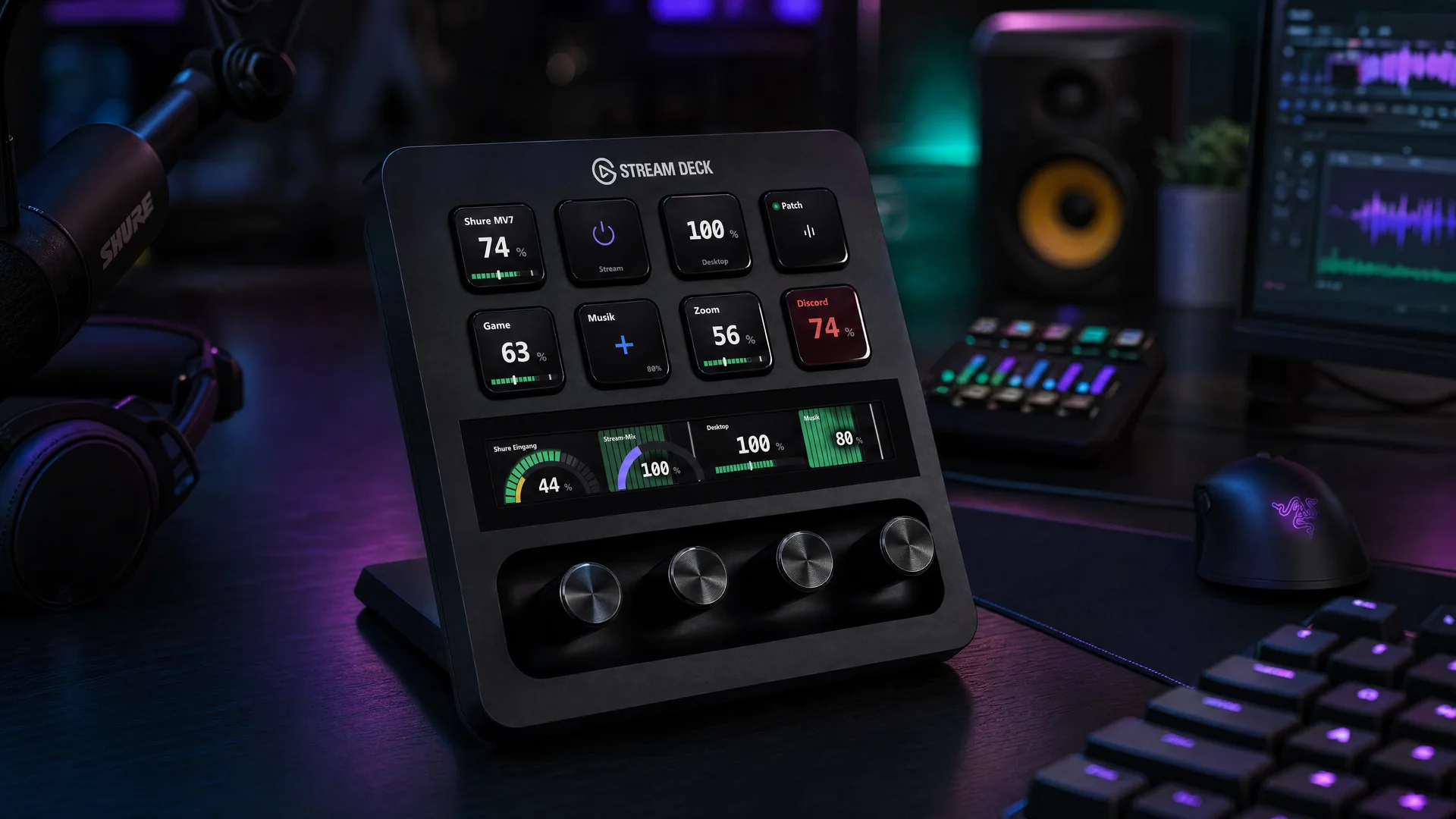
On Stream Deck +, turning sets the level, pressing mutes — the touch strip shows four channels side by side, as arc, bar or full meter.

Assign every zone.

Left, center, right and long-press of every key get their own actions — mute, reset, level steps or patch start.

Control any target.

Source, output, channel, route, filter chain or a whole patch — even hardware DSP like the Shure MV7 sits right under your finger.

Canvas included.

A construction kit for every tile: stack blocks, drag values, live preview for active, muted, hold and offline — global or per key.

0
Combinations per tile
5+6+17
Blocks, meter shapes & templates
Free
Plugin — 1 click from the app
Stream Deck MK.2 with NoicePatch: two fader strips and live meters on the keys
Stream Deck + with NoicePatch: keys and a continuous dial touch strip

Stream Deck — Canvas

Build the tile instead of picking one.

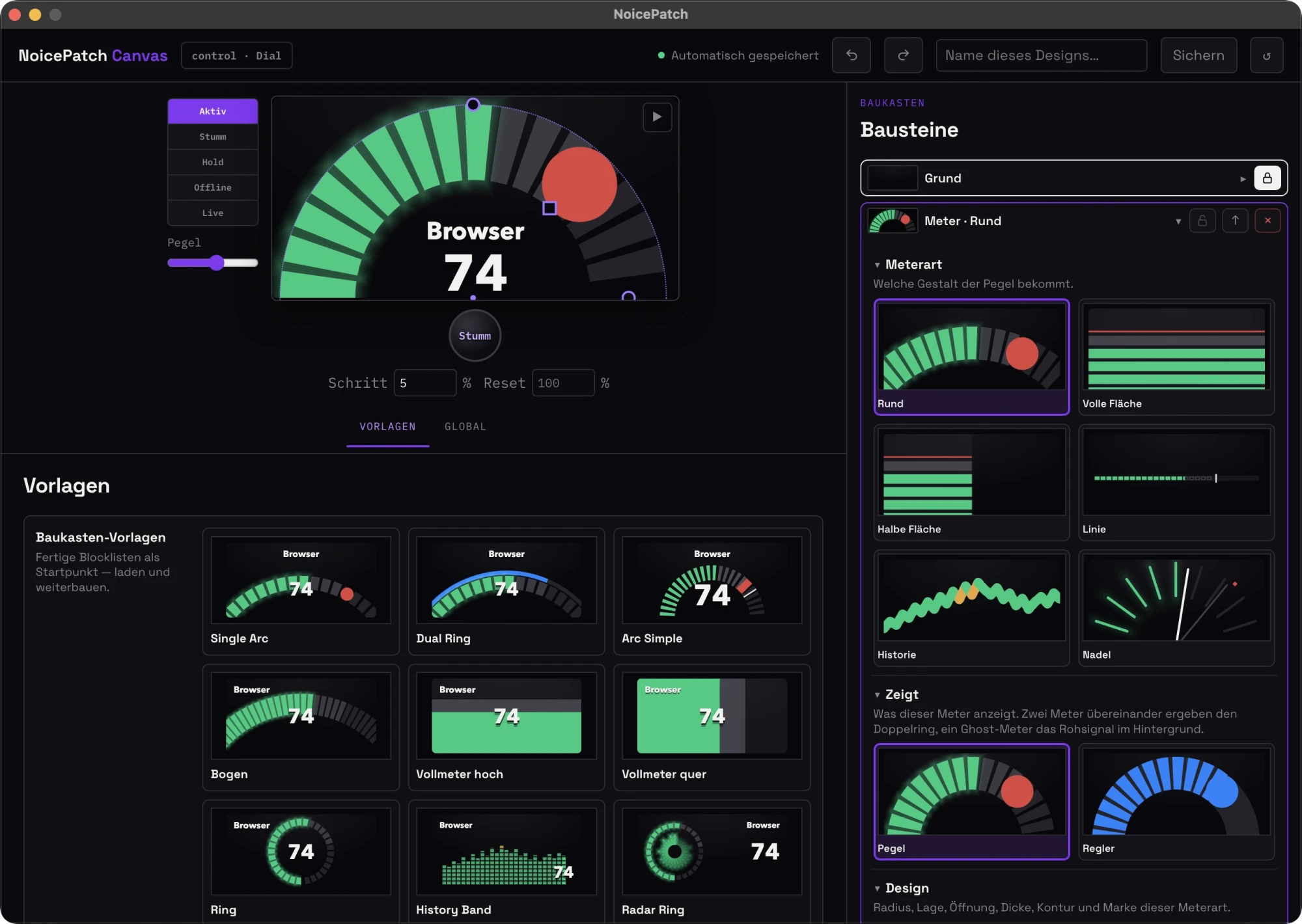
The canvas builds every tile from blocks: meter, value, name, label, zone. Each block has its own controls instead of a fixed style — and the preview runs on the same engine that drives your deck.

Try it

NoicePatch canvas: live tile preview with handles, block list on the right, template gallery below

The canvas wants a mouse: blocks get dragged, and the handles on the tile are a few pixels wide. On a desktop it sits right here, ready to try.

Stack the blocks.

Base, meter, value, name, label, zone — as many as you like on one tile, layered in any order.

Six meter shapes.

Arc, full area, half area, line, history, needle. Each as LED segments or smooth, stereo if you want.

Drag it on the image.

Radius, position and opening of the arc hang on handles in the preview. Grab, drag, done — the numbers follow.

Level or knob position.

Every meter shows either the signal or the knob position. Two stacked give you the double ring, one behind gives the raw signal.

Geometry in numbers.

Radius, position, opening, thickness, outline and marker — the arc is a circle segment, not a finished picture.

Check five states.

Active, muted, hold, offline and live side by side — plus a slider that runs the level through, without making a sound.

Lock, move, delete.

Every block on its own: pin it against accidental edits, move it up the order, or throw it out.

Undo, always.

Sixty steps back and forward. The state saves itself — no save button, no lost round.

17 templates, plus yours.

Single Arc, Radar Ring, VU Needle, Fader, Three Zones and more. Load one, rebuild it, save it under your own name.

06 — Engine

It computes. It doesn't just pass through.

Ducking

Music makes room.

As soon as you speak, the music dips — smooth, two-stage filtered, adjustable per source.

Auto level

Always broadcast level.

The leveler keeps your voice at target loudness — lifts quiet parts without pumping up breathing pauses.

Hardware-DSP

Knows your microphone.

Shure MV7 connected? Gain, monitor mix and its built-in DSP are controlled right from the card.

Stability

Measured, not hoped.

Drift-compensated clock, a start watchdog against dead devices, live graph changes without audio gaps — native CoreAudio, no fragile system extension.

Voice Isolation

Voice stays. Room goes.

NoicePatch separates voice from keyboard, fans and room echo — fully local, on any source.

Gate

Pauses stay silent.

The noise gate only passes what's above the threshold — breathing, fans and keyboard stay out.

Compressor

Quiet up, loud down.

The compressor pulls everything into an even band — your voice stays dense no matter how close the mic is.

Multitrack

Every source, its own track.

Up to 8 stereo tracks per device — mic, game, music and chat land separately in OBS and your DAW.

And beyond

Too much attention to detail to show it all.

Routing

  • System audio as a source
  • Up to 8 stereo tracks per device
  • Per-channel L/R routing (0–200 %)
  • Multi-output groups
  • AirPlay targets at a glance
  • Device cascades for sub-mixes
  • System output from the menu bar

Comfort

  • Dock/undock follow-up
  • Auto-resume after restart
  • Profiles for quick switching
  • Export/import configuration
  • Onboarding with guided tour
  • UI sounds (can be disabled)
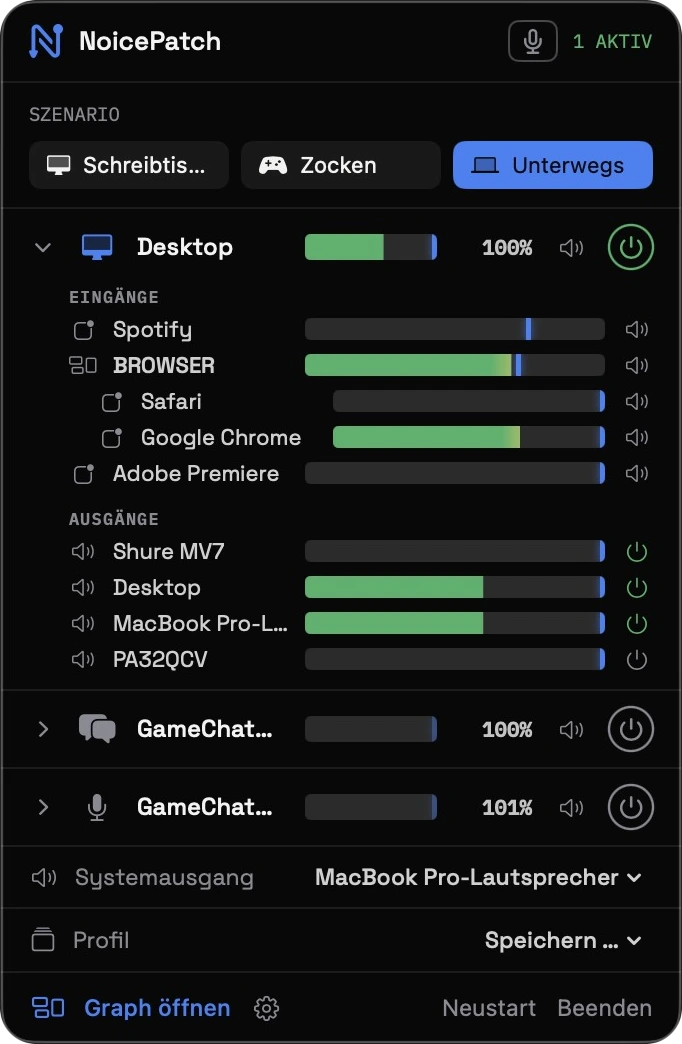
  • Menu bar panel with master controls

Engine

  • Drift-compensated clock (0 ppm measured)
  • Start watchdog against dead devices
  • Filter changes without dropouts
  • Sample rate per device
  • Hardware controls with system sync
  • All Audio Unit plugins usable
  • Low-latency direct monitoring

Distribution

  • Notarized by Apple
  • Driver updates from the app
  • Clean uninstall built in
  • Updates within version 1 included
  • 2 Macs per license
  • No account required
  • In English, German and Spanish
0
Channels per device
0
Curated filters
0
Views of the signal flow
0
Cloud · subscription · tracking

FAQ

Quick answers.

Is NoicePatch free?
For 7 days, yes — full feature set, undisturbed. The trial starts by itself the first time you open the app — no email, bound to your Mac. After the 7 days, audible noise mixes in until a license is activated. The full license is a one-time €49 (launch price, regular €79), no subscription.
Does NoicePatch need internet?
No. Everything runs locally on your Mac — voice isolation computes right on the device. You only need internet for updates and purchase.
How many Macs per license?
Two. You manage activations yourself in your account and can move them to other devices anytime.
What does the app install on my system?
An audio driver to /Library/Audio/Plug-Ins/HAL (with admin confirmation) providing virtual devices with up to 16 channels. The settings include a remove button — leaves no residue.
Does it work with OBS, Discord and Zoom?
Yes. The virtual devices appear system-wide like real hardware — OBS records up to 8 stereo tracks separately, Discord and Zoom use them as mic or speaker.
Can I clean up OTHER people's voices?
Yes — that's exactly why NoicePatch exists: denoising, gate and Voice Isolation work on any source, including incoming Discord, game or console chat.
Is the app verified by Apple?
App and driver are Developer-ID-signed and notarized by Apple — macOS launches them without warnings.
What about version 2?
Updates within version 1 are free (built-in updater). A later major version may be a paid upgrade — recent buyers get it free.

Support

You're not on your own.

Manual

First steps, routing, filters, Stream Deck and every setting — explained step by step.

Open the manual →

Direct line

Questions, problems, wishes — write directly to the developer. No ticket machine, a human answers.

[email protected]

Releases

What's new, what's fixed — every version with honest release notes, in the app and here.

View changes →

07 — Pricing

Once. Yours.

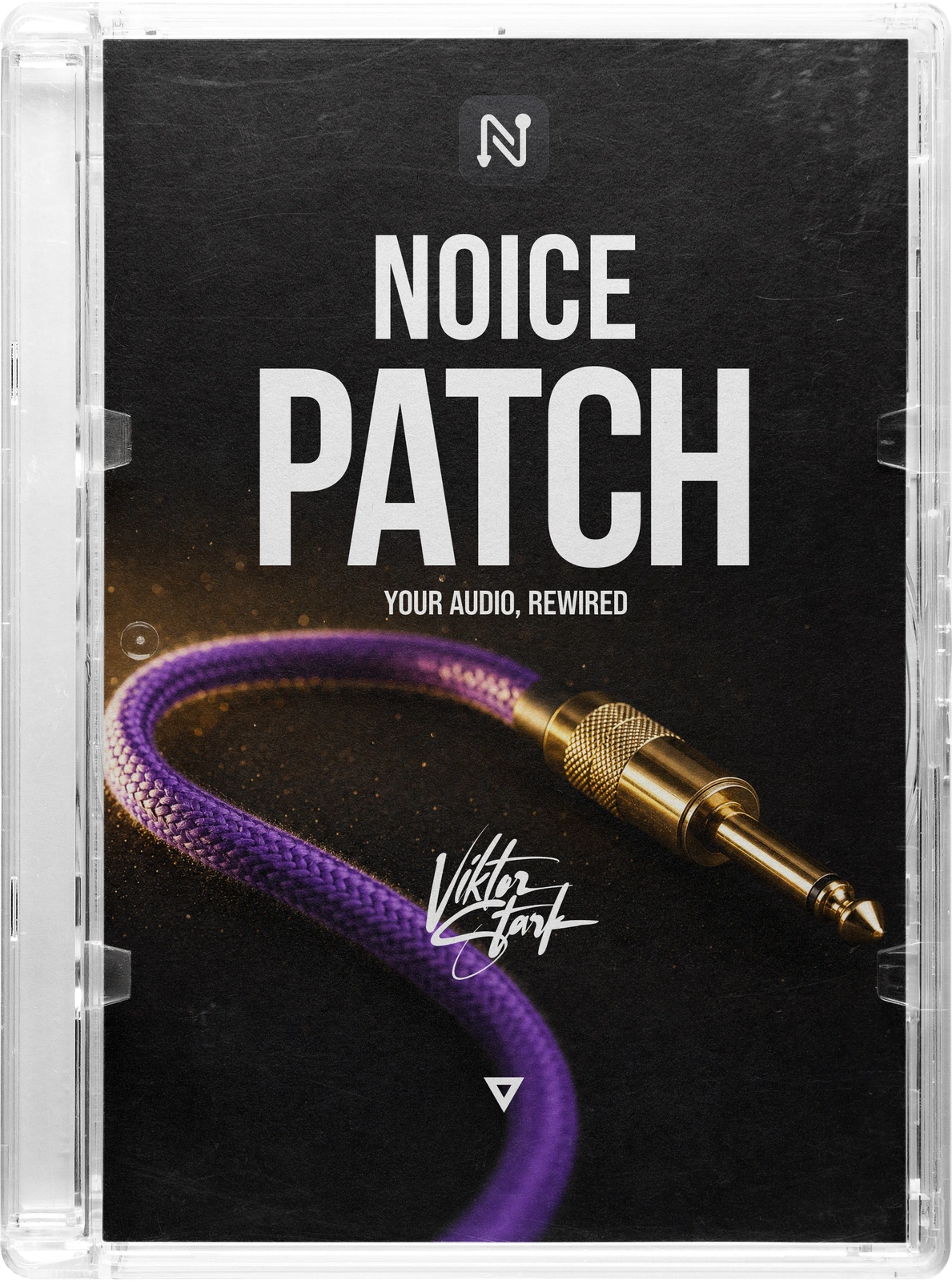
NoicePatch — box with a purple patch cable cover
Launch price

NoicePatch — Full license

49€ 79€ one-time · no subscription
  • Routing, 14 filters, equalizer, engine — all included
  • 2 Macs per license, self-managed
  • All updates within version 1 included
  • Stream Deck plugin included
  • 7-day trial: full app, starts by itself — no email
Buy now Download free for macOS

macOS 15+ · Apple Silicon · notarized by Apple

TalkPatch — box with a cover of glowing glass bars

Also from Starks.Design

TalkPatch: the prompter
that listens.

The picture to match the sound. TalkPatch is a teleprompter for macOS that follows your voice instead of a timer: local speech recognition, prompter text right on the camera image, a ring light from the screen, recording up to ProRes 4444, a notch bar and a Stream Deck plugin. Once NoicePatch has your sound clean, TalkPatch puts the words in front of the lens. One-time purchase, no subscription, all local.

49€ 79€ one-time · no subscription
Free download Buy now